 Blueprint: Cabinet Design
Cabinet design software that ends in a real cut list.
Blueprint is a cabinet design app for Mac, iPad and iPhone. Draw the room, place cabinets in 3D, design every door, drawer and shelf, then export a cut list with exact panel sizes, grain direction and edge banding.

From empty room to cut list in four steps
Everything happens in one app: what you set up in the floor plan carries into 3D, and what you design in 3D carries into the cut list.
Draw the room to exact dimensions
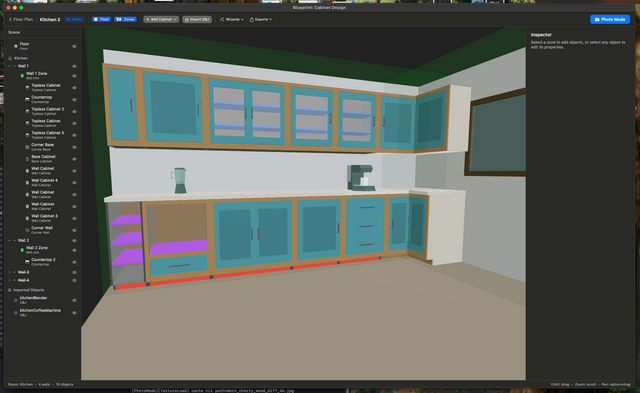
Draw your room with exact wall lengths, doors, windows and obstacles. A new project starts as a rectangular room at the size you set in the new project dialog, so you can jump straight to 3D and add cabinets. Come back to the floor plan to drag corners, add wall nodes, and mark radiators, pipes and anything else that blocks a wall.
- Millimeters, centimeters, or inches with fractions
- Solid, glass and half-glass room doors, single or double, with hinge side, opening direction and textures
- Keep-out zones for appliances, vents, radiators and pipes
- Free-standing island zones with their own cabinet runs
- Full undo and redo

Place and size cabinets in 3D
Pick a cabinet type, click a wall, and it goes in. Drag it along the wall and it snaps flush to wall ends and to its neighbours, with no eyeballing gaps. Need an exact size? Type the width, height or depth and the 3D view updates instantly.
- Base, wall, tall and topless cabinets, set at the correct mounting height automatically
- Corner cabinets and blind corner cabinets with adjustable blind width and side
- EU and US standard sizes built in as defaults
- Plinth height and depth, and top style, set per cabinet
- Countertops, appliances, furniture and decor in the same room

Design every door, drawer and shelf
Every cabinet starts as one opening. Split it, and keep splitting, until the layout matches what you want to build. Each change shows up in the live 3D preview as you make it.
- Split openings vertically or horizontally, at fixed or relative positions
- Shelves at exact positions
- Drawer stacks with gap control on every side
- Single or double doors, left or right hinge, with per-edge gaps
- Door styles: flat, shaker, glass insert, or raised panel
- Open shelf units: back panel and shelves, no carcass

Frameless and face frame cabinets
Pick a construction style once and every new cabinet follows it. The cut list adjusts to match.
EU frameless
European frameless construction with EU standard cabinet dimensions as the defaults, in millimeters.
US frameless
Frameless cabinets with US standard dimensions as the defaults, in inches with fractions.
US face frame
Face frame cabinets with inset or full-overlay doors, across every cabinet type including corner and blind cabinets.
A cabinet cut list you can build from
Every cabinet produces a complete set of panels: sides, top, bottom, back, shelves, doors, drawer fronts and drawer boxes. Each panel gets exact dimensions, a material, grain direction and edge banding on every edge.
- PDF cut list, grouped by material, ready to take to the workshop
- XLSX order sheet to send to a shop and have panels cut to size
- Pick which cabinets to include, useful when building in phases
- Edge banding rules per panel and per edge, with thickness reflected in the final cut size
- Door gaps on all four sides flow into the door dimensions
- Materials and thicknesses assigned per component: carcass, fronts, back and face frame
- 2D elevation drawings exported as PDF
- Optional Cutlist Optimizer add-on: nests panels onto standard sheets and exports DXF
Open a sample cut list (PDF) · Open a sample order sheet (XLSX)

A real cabinet project designed with Blueprint
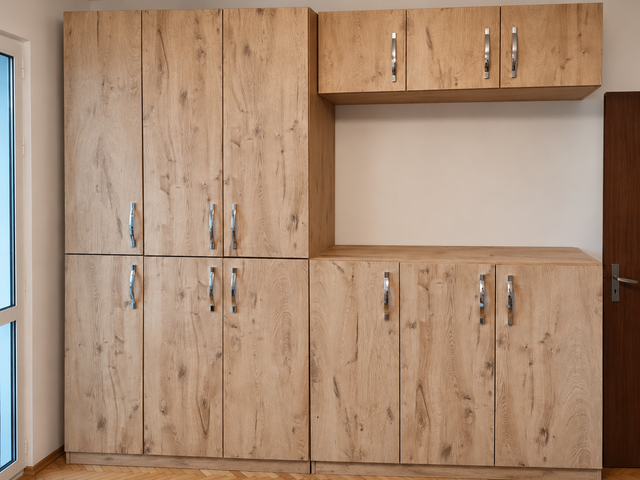
We designed a storage wall in Blueprint, ordered the panels cut straight from the exported cut list, and built it. Every dimension we checked against the real panels matched.


Read the full build story, including what we caught along the way.
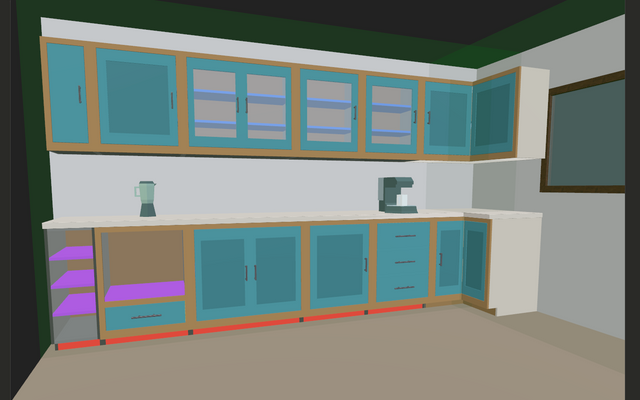
Photo Mode: see your design with every material applied
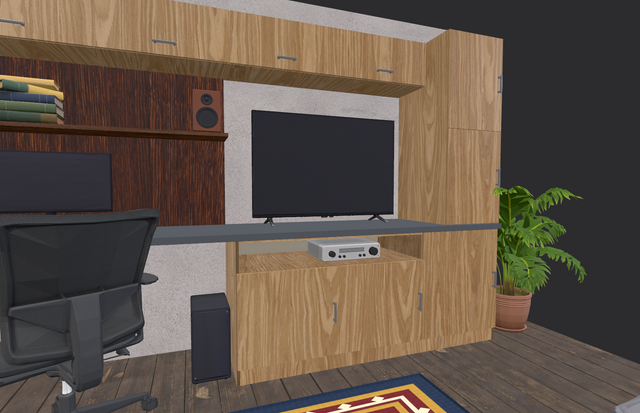
Photo Mode renders your room on your device with the materials, finishes and textures you assigned. Save images to share with a contractor, client or family.


Photo-Real Render: from your design to a photograph
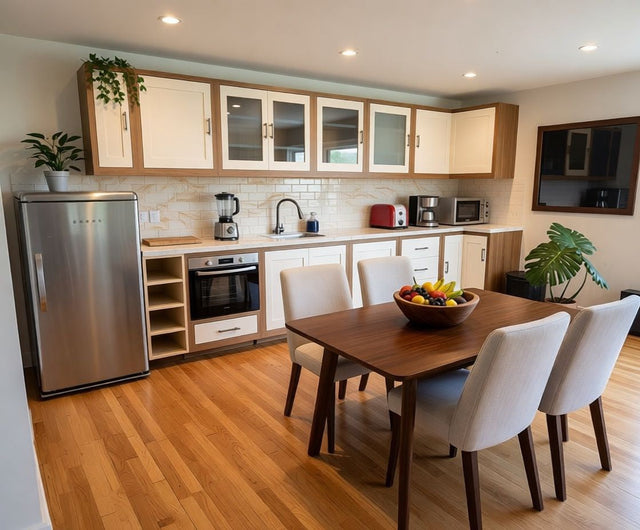
When the layout and dimensions are right, Photo-Real Render turns your 3D scene into a photorealistic image in seconds. Describe the materials, finishes and lighting you want, or leave it on default. Every render is saved to your Renders gallery, and you can refine or upscale it afterward.


Photo-Real Render runs in the cloud and uses credits, which are sold separately. Standard Edition includes 9 free credits to start. Watch the tutorial
Everything else in the app
Materials & finishes
Separate render and construction materials for carcass, fronts and back panels. Photo textures for walls and splashbacks.
90+ 3D models
Furniture, appliances, fixtures and decor built in, ready to place in the room.
Import your own
Bring in any OBJ file, then scale, rotate and position it in 3D.
Undo & redo
Across the floor plan, the 3D room and the cabinet editor. On iPad, squeeze Apple Pencil Pro to undo.
Duplicate projects
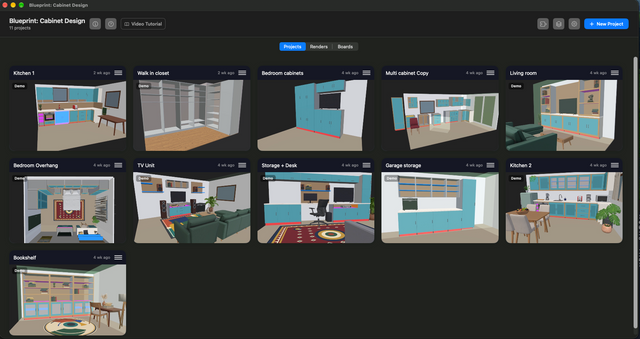
Copy any project from the project list to try a different layout. Every project shows a 3D snapshot of its room.
Your units
Work in millimeters, centimeters or inches with fractions. Cut lists export in the unit you choose.
Five languages
English, German, French, Spanish (Spain and Latin America) and Brazilian Portuguese.
Mac, iPad & iPhone
Native apps for all three, so you can plan at your desk and check it on site.
Explore real projects in 3D
These projects were designed in Blueprint. Open one in your browser, orbit around it and look at the cabinets.
Watch someone design a cabinet from scratch
No CAD or woodworking background needed.
Who Blueprint is for
DIY builders
Planning your own cabinets? Get the exact panel sizes and a shopping list for sheet goods, and find mistakes on screen instead of in the wood.
Homeowners
Planning a kitchen or built-ins? See the layout in 3D, check that it fits, and hand a real plan to your contractor or cabinet shop.
Small shops & installers
Quote and plan jobs on a Mac or iPad, then send a cut list straight to your panel supplier.
Free to try. Pay once to keep it.
Explore every feature for free, including the floor plan, 3D room and cabinet editor. Standard Edition is a one-time purchase that unlocks saving your projects, exports and printing. No subscription.
Photo-Real Render is optional and uses credits, which are sold separately. Standard Edition includes 9 free credits to start.
Get Blueprint on the App StoreQuestions about Blueprint
What is Blueprint: Cabinet Design?
Blueprint is cabinet design software for Mac, iPad and iPhone. You draw a room, place and design cabinets in 3D, and export a cut list with exact panel dimensions, materials, grain direction and edge banding.
Can it generate a cabinet cut list?
Yes. Every cabinet produces a full panel set, and you can export the cut list as a PDF for the workshop or as an XLSX order sheet to send to a cutting service. You choose which cabinets to include.
Does it support face frame and frameless cabinets?
Yes. Choose EU frameless, US frameless or US face frame. Face frame cabinets support inset and full-overlay doors, and the cut list adjusts to match.
Can I design in inches and get a millimeter cut list?
Yes. You can work in millimeters, centimeters or inches with fractions, and the cut list exports in the unit selected in Settings. Switching units changes only what is displayed, not your project.
Does it work for CNC or a panel saw?
Blueprint exports PDF cut lists and XLSX order sheets. The optional Cutlist Optimizer add-on arranges panels on standard sheet sizes and exports a DXF file. Blueprint does not generate machine toolpaths.
Do I need CAD or woodworking experience?
No. The tutorial videos on this page take you from an empty room to a cut list in a few minutes each.
Is Blueprint free? Is there a subscription?
You can download Blueprint and try every feature for free. Standard Edition is a one-time purchase to save projects, export and print. There is no subscription.
What devices does it run on?
Blueprint is available for Mac, iPad and iPhone from the App Store.
Is there a Windows or Android version?
Not at the moment. Blueprint is built for Apple devices: Mac, iPad and iPhone, available from the App Store.
Guides, tutorials and release notes
Everything we have written about Blueprint, in one place. Start with a guide, see a real build, or follow what changed in each release.
All release notes
A real plan you can act on, not just a picture of one.
Download Blueprint and design your first cabinet today.
Get Blueprint on the App Store